What should you do when your only developer leaves?
Get ownership before you remove anyone. List every account the product runs on, take a copy of the code, and make sure you own the domain and the email addresses behind each account. Only then remove the developer’s access and replace every key they could see.
On GitHub, a deploy key keeps working after the person who created it is removed from the repository, and deploy keys have no expiry date. Removing the person does not close every door they opened.
From my work
Keys in the code are common. At Mom Software, the architecture work removed insecure third-party libraries and hard-coded keys.
So are things nobody remembers. At one client I found EC2 instances nobody used any more while following a spike in the AWS bill. A list of accounts and what runs on each is the first thing I write on any project I take over.
The one rule: ownership first, removal second
The first instinct is to cut the developer off. Wait. On most services only the current owner can hand an account over. Remove the one person who can transfer it and a ten-minute transfer becomes a support case with a ticket number.
The exception is a hostile exit. Then cut access at once, but only on the services where you are already the owner.
None of this assumes bad faith. Most developers who leave are glad to hand things over properly. The order protects you either way.
First: see what you have
- List every account the product depends on, and who the owner is on each: code, domain, hosting, database, payments, email, app stores, monitoring. Change nothing yet.
- Take a full copy of the code today. On GitHub that is a bare clone pushed as a mirror to a repository you own, which keeps every branch and tag. Files stored in Git LFS need their own fetch and push. A copy protects the code. It does not carry issues, pull requests or settings.
- Find out who holds the domain. Ask your registrar who the registrant of record is. If the developer registered it with their own details, it is theirs on paper until the registrant is changed.
- Check the email address behind each owner account. Password resets go there. On AWS the root user signs in with an email address and a password, and the reset link goes to that address. If the root user’s MFA device is gone too, AWS recovers it through that email plus the primary contact phone number on the account, so check whose number that is.
Then: take ownership, service by service
- GitHub. Whoever transfers a repository needs administrator access to it. To move it straight into an organization your company owns, they also need permission to create repositories in that organization. A transfer to another personal account has to be accepted within one day, or the invitation expires. A repository on a personal account has a single owner, so the organization is where it should end up. Keep at least two owners there, as GitHub recommends.
- Domain. Under ICANN’s Transfer Policy, a change of registrant locks the domain against moving to another registrar for 60 days, unless the registrar let you opt out before the change. So change the registrant where the domain already is, and move registrar later if you want to.
- AWS. If the root email is on a domain you control, AWS says you can restore the deleted address or set up a catch-all to receive the reset. That is why the domain comes before the cloud account. If that fails, the route is the AWS account support form, but do not count on a quick reset there: AWS says Support cannot change the credentials on an account.
- Google Cloud. Projects that sit inside your organization stay with the organization when an employee leaves. Projects created outside it have to be moved in.
- Vercel, Heroku, Supabase and Netlify. The current owner transfers the project to a team you own. On Vercel and Supabase that person must be an owner where the project is now and a member of the team or organization it moves to, so invite the developer into yours first. Vercel says the move has zero downtime. On Heroku only the app owner can start it, and you accept it. On Netlify, teams with no shared Owner or Developer have to go through support.
- Firebase. You need the Owner role on the project. If the owner cannot act and the project is not inside a Google Cloud organization, Firebase says to contact its support.
- Stripe. The current owner transfers ownership in Team settings, to a user who already has the Administrator or Super Administrator role. If the owner is not available, Stripe says you can still request the transfer through its support, which checks your identity and your relationship with the business.
- Apple. The Account Holder role moves to another person on the team who has the legal authority to bind your company. That person needs two-factor authentication on their Apple Account. If the Account Holder is gone, contact Apple Developer Support.
- Google Play. Organization accounts can change the account owner in Play Console. The change is placed on hold for 7 days. If owner access is lost, Google sends you to Play support.
Last: close the doors
- Remove the developer’s access on every account in your list. On GitHub, a removed organization member’s data is kept for three months, so a removal can be undone by inviting them back in that time. Local copies of the code stay on their machine. Ask them to delete those.
- Replace deploy keys. They stay active after their creator is removed and they do not expire. Look under Deploy keys in each repository’s settings.
- Rotate cloud keys in an order that keeps the app running. AWS recommends updating access keys when an employee leaves: create the new key, switch the app to it, deactivate the old one, check nothing broke, then delete it.
- Rotate payment keys. Stripe says to rotate keys when team members who had access leave. After a rotation in the dashboard, the old and new keys both work for up to 7 days.
- Search the code for passwords and keys. If you find one, GitHub’s advice is to revoke or rotate it first. Cleaning it out of the history comes second.
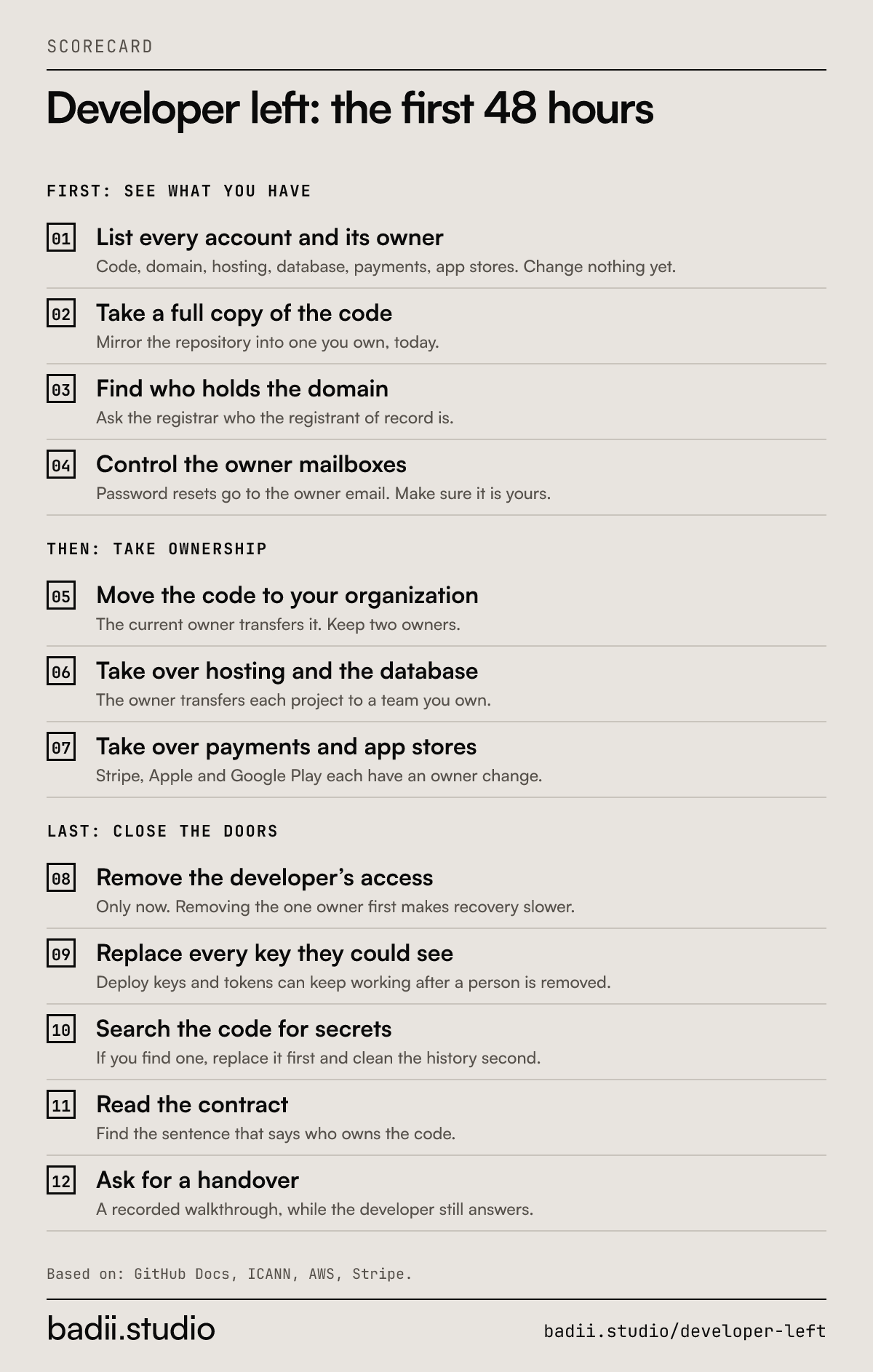
The numbers as text
- List every account and its owner: Code, domain, hosting, database, payments, app stores. Change nothing yet.
- Take a full copy of the code: Mirror the repository into one you own, today.
- Find who holds the domain: Ask the registrar who the registrant of record is.
- Control the owner mailboxes: Password resets go to the owner email. Make sure it is yours.
- Move the code to your organization: The current owner transfers it. Keep two owners.
- Take over hosting and the database: The owner transfers each project to a team you own.
- Take over payments and app stores: Stripe, Apple and Google Play each have an owner change.
- Remove the developer’s access: Only now. Removing the one owner first makes recovery slower.
- Replace every key they could see: Deploy keys and tokens can keep working after a person is removed.
- Search the code for secrets: If you find one, replace it first and clean the history second.
- Read the contract: Find the sentence that says who owns the code.
- Ask for a handover: A recorded walkthrough, while the developer still answers.
Cite as: badii.studio, "Developer left: the first 48 hours", https://badii.studio/developer-left#developer-left-first-48-hours
If the developer does not answer
Every service above has a route for this, and all of them are slower than a friendly transfer. Expect identity checks, forms and waiting. A support queue does not know you are in a hurry.
Start with what you can do alone: the copy of the code, the domain, the mailboxes. The rest depends on those. Then open the support cases, one per service, with proof that the business is yours: invoices you paid, the company registration, the domain.
Who owns the code
Read the contract for one sentence: who owns the work. This is background, not legal advice.
In the UK, the person or company that created a commissioned work is the first owner of the copyright, not the client who paid for it, unless you agreed otherwise in writing. In the US, the Copyright Office says commissioned work counts as "made for hire" only under narrow conditions and with a signed written agreement.
So a written assignment of the code to your company is what you are looking for. If it is missing or unclear, ask a lawyer, and ask the developer to sign one while you are still on good terms.
What a good handover looks like
- It starts before the last day, with a list of what has to move.
- It covers the accounts, not only the code.
- Ownership moves. A password sent over chat is not a handover.
- More than one person can get in afterwards.
- A recorded walkthrough: where things run, how a release works, what is half done.
- One proof that it worked. Someone other than the leaving developer ships a release and rolls it back.
After the 48 hours
Holding the accounts tells you the product is yours. It does not tell you what shape it is in: how healthy the code is, what breaks first, what it takes to keep shipping.
That is the 14-day Trial, $995. I start with read-only access, audit the code and send findings ranked by risk in the first 5 business days, then fix what fits in the days left.
Read next
Sources
- GitHub Docs, managing deploy keys, read 17 Nov 2026
- GitHub Docs, transferring a repository, read 17 Nov 2026
- GitHub Docs, duplicating a repository, read 17 Nov 2026
- GitHub Docs, removing a member from your organization, read 17 Nov 2026
- GitHub Docs, maintaining ownership continuity for your organization, read 17 Nov 2026
- GitHub Docs, removing sensitive data from a repository, read 17 Nov 2026
- ICANN, Transfer Policy, read 17 Nov 2026
- ICANN, general questions for registrants, read 17 Nov 2026
- AWS, troubleshooting sign-in, no access to the account email, read 17 Nov 2026
- AWS, the account root user, read 17 Nov 2026
- AWS, recovering a root user MFA device, read 17 Nov 2026
- AWS, updating access keys, read 17 Nov 2026
- Google Cloud, resource hierarchy, read 17 Nov 2026
- Vercel, transferring projects, read 17 Nov 2026
- Heroku, transferring apps, read 17 Nov 2026
- Supabase, project transfers, read 17 Nov 2026
- Netlify, transfer a project, read 17 Nov 2026
- Firebase, project access and roles, read 17 Nov 2026
- Stripe, API keys, read 17 Nov 2026
- Stripe Support, change the owner of a Stripe account, read 17 Nov 2026
- Apple, transferring the Account Holder role, read 17 Nov 2026
- Google Play Console Help, changing the account owner, read 17 Nov 2026
- UK Intellectual Property Office, ownership of copyright works, read 17 Nov 2026
- US Copyright Office, Circular 30, Works Made for Hire, read 17 Nov 2026